Digital Influx / Ed-Tech

Digital Influx / Ed-Tech

UX for kids course

UX for kids course

Making UX Design fun for kids- and easy to teach for parents

Making UX Design fun for kids- and easy to teach for parents

UX/UI Design

Product Design

UX Writing

B2C

UX Writing

B2C

Overview

Client: Digital influx

Industry: Ed-Tech

Role: UX Writer/
UX & UI Designer

Duration: ~4 months

Project Intro

Digital Influx is an ed-tech start-up dedicated to inspire the future generation to create a better world by cultivating critical thinking and creativity. Their core mission is to teach children the importance of essential values like empathy, diversity and inclusion (also when it comes to using Ai) for when its their turn to shape the future of human-computer interaction. As an in-house UX-Writer & Designer the challenge was to create an interactive "UX for kids" course that is playful and stimulating for children, yet embedded into an educational framework.

Digital Influx is an ed-tech start-up dedicated to inspire the future generation to create a better world by cultivating critical thinking and creativity. Their core mission is to teach children the importance of essential values like empathy, diversity and inclusion for when its their turn to shape the future of human-computer interaction.

As an in-house UX-Writer & Designer the challenge was to create an interactive "UX for kids" course that is playful and stimulating for children, yet embedded into an educational framework.

_______________

Key results

Working together as an international trio of UX Designer/Writers, we had a lot of fun crafting an engaging 12-week interactive course for kids aged 9-12 to learn about UX Design. Additionally, I contributed to business growth by creating teacher resources aligned with STEM and ISTE standards.


The positive feedback from both teachers and kids was overwhelming, and we were able to step into contact with a big investor. Thanks to the project's success, it had been decided to develop a second course tailored to teenagers.

_______________

The challenge

There were two main challenges to overcome:


1) Crafting engaging lessons
Our initial hurdle was creating lesson slides that are on the one hand interactive, playful, and containing relatable examples and fun games, but on the other hand also effectively convey complex concepts and tools to students. We tried to balance technical jargon with an engaging tone that sparks students' intrinsic motivation to learn.


2) Teaching how to teach
Our course caters to both -educators and parents, especially those thrust into the role of home-schooling during the pandemic. Many of these parents are new to UX and teaching. A common concern is the fear that they may lack the necessary skills to effectively deliver the course as they are UX newbies themselves and mostly unfamiliar with both- the subject matter and the role of a teacher.
_______________

The process


_______________

The process


_______________

The process

How to craft engaging lesson slides?

Concerning the lesson slides, though we knew the UX process inside out and I had some previous experience of tutoring children, it took us a few failures to perfect the slides. A key factor to success was the ability to gain testing feedback from kids around the world. The UX research team ran regular trial lessons and kept us up to date with the feedback and findings. A good thing about children is their brutal honesty, if they don’t like a lesson they are not afraid to tell you so ;) Here's the lowdown on what we figured out:


Key learnings:

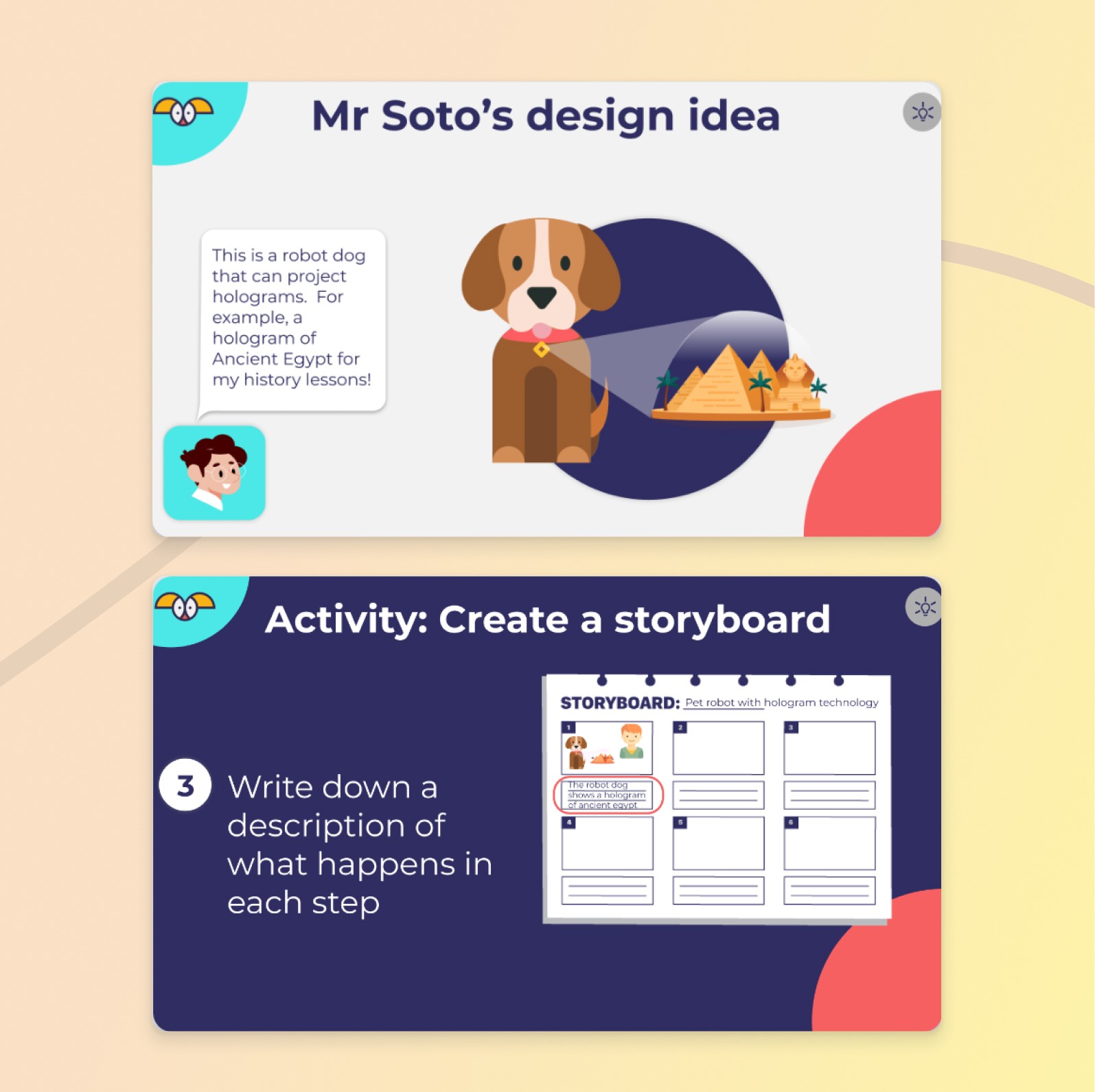
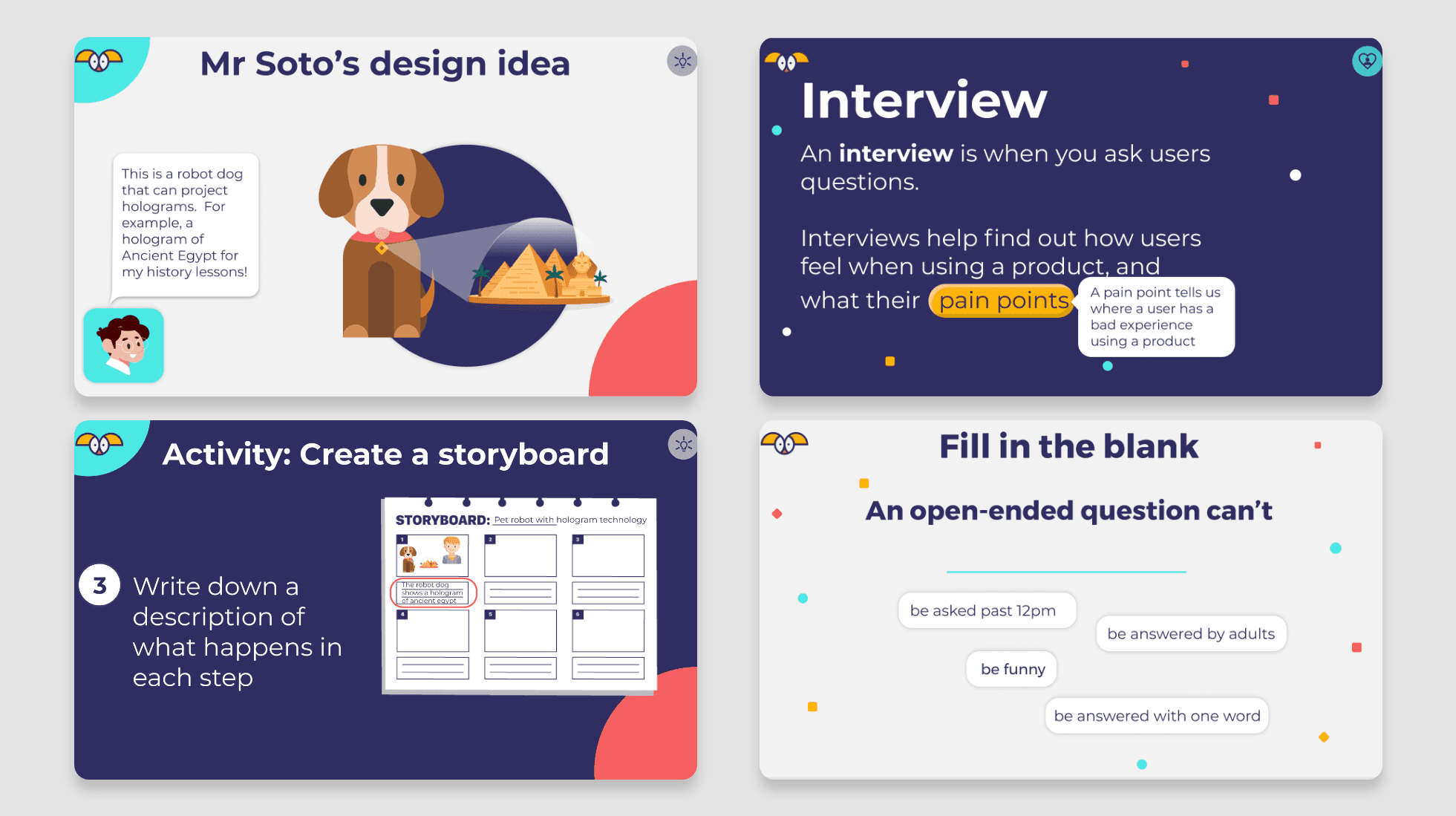
  • Less Text, more Pictures: Reduce text on the slides to a minimum. Pictures speak louder than words - I designed some child friendly illustrations for this

  • Speak Their Language: Describe complicated methods or ideas with metaphors that are familiar to the kids. For examples: Personas are a bit like Pokémon cards.

  • Keep it Consistent: Use a consistent and repetitive language and lesson structure for the children to get used to the course more easily and make learning a habit

  • No Tech Talk: Try to use terms that aren’t too technical and easy to understand or provide a definition that is logged into a vocabulary library and repeated at the start and end of each lesson to help memorizing

  • Tell a story: Its much easier to indulge into a topic when telling a story, thus we wrapped the course into the story of Mr. Soto and his dog who like to travel and explore history

How to craft engaging lesson slides?

Concerning the lesson slides, though we knew the UX process inside out and I had some previous experience of tutoring children, it took us a few failures to perfect the slides. A key factor to success was the ability to gain testing feedback from kids around the world. The UX research team ran regular trial lessons and kept us up to date with the feedback and findings. A good thing about children is their brutal honesty, if they don’t like a lesson they are not afraid to tell you so ;) Here's the lowdown on what we figured out:


Key learnings:

  • Less Text, more Pictures: Reduce text on the slides to a minimum. Pictures speak louder than words - I designed some child friendly illustrations for this

  • Speak Their Language: Describe complicated methods or ideas with metaphors that are familiar to the kids. For examples: Personas are a bit like Pokémon cards.

  • Keep it Consistent: Use a consistent and repetitive language and lesson structure for the children to get used to the course more easily and make learning a habit

  • No Tech Talk: Try to use terms that aren’t too technical and easy to understand or provide a definition that is logged into a vocabulary library and repeated at the start and end of each lesson to help memorizing

  • Tell a story: Its much easier to indulge into a topic when telling a story, thus we wrapped the course into the story of Mr. Soto and his dog who like to travel and explore history

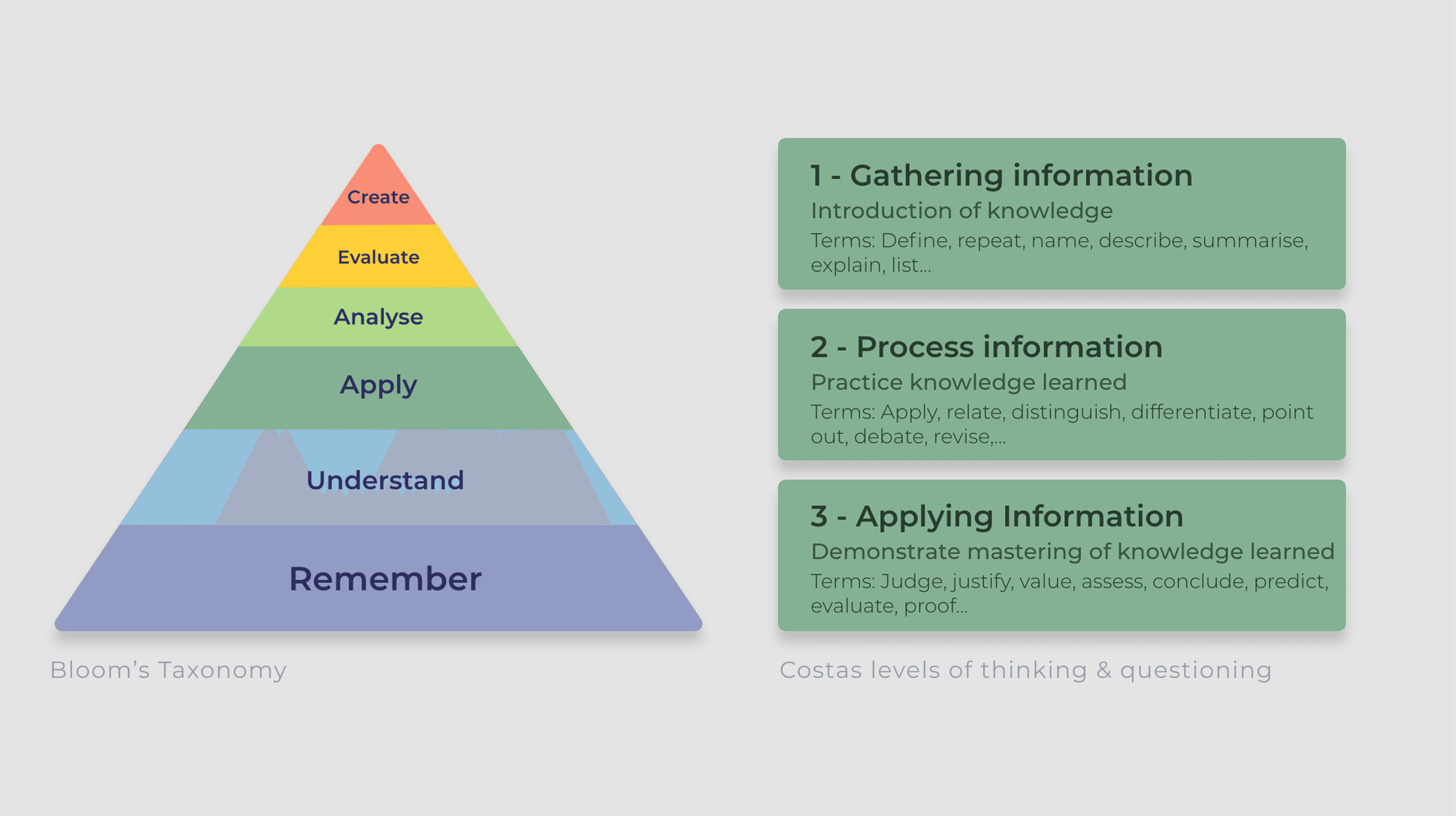
In addition to our own learnings and the testing feedback, I used the learning concepts of Maslow and Costa & Bloom as an influence to build out the course.

How to teach-how to teach?

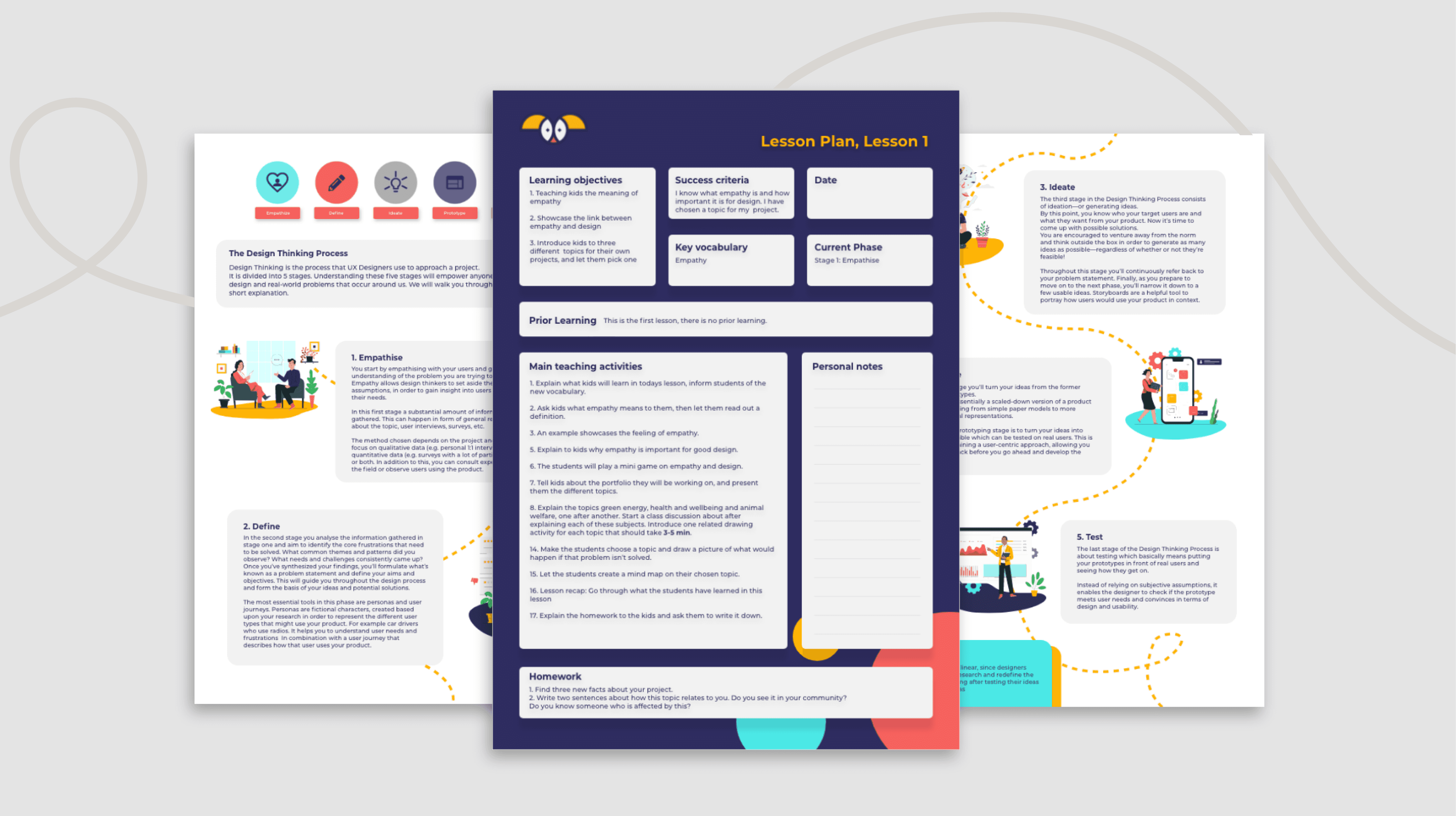
The second issue was tackled by adding three additional types of resources to the course , specifically tailored to inexperienced and insecure parents/ teachers
Teacher info pack:

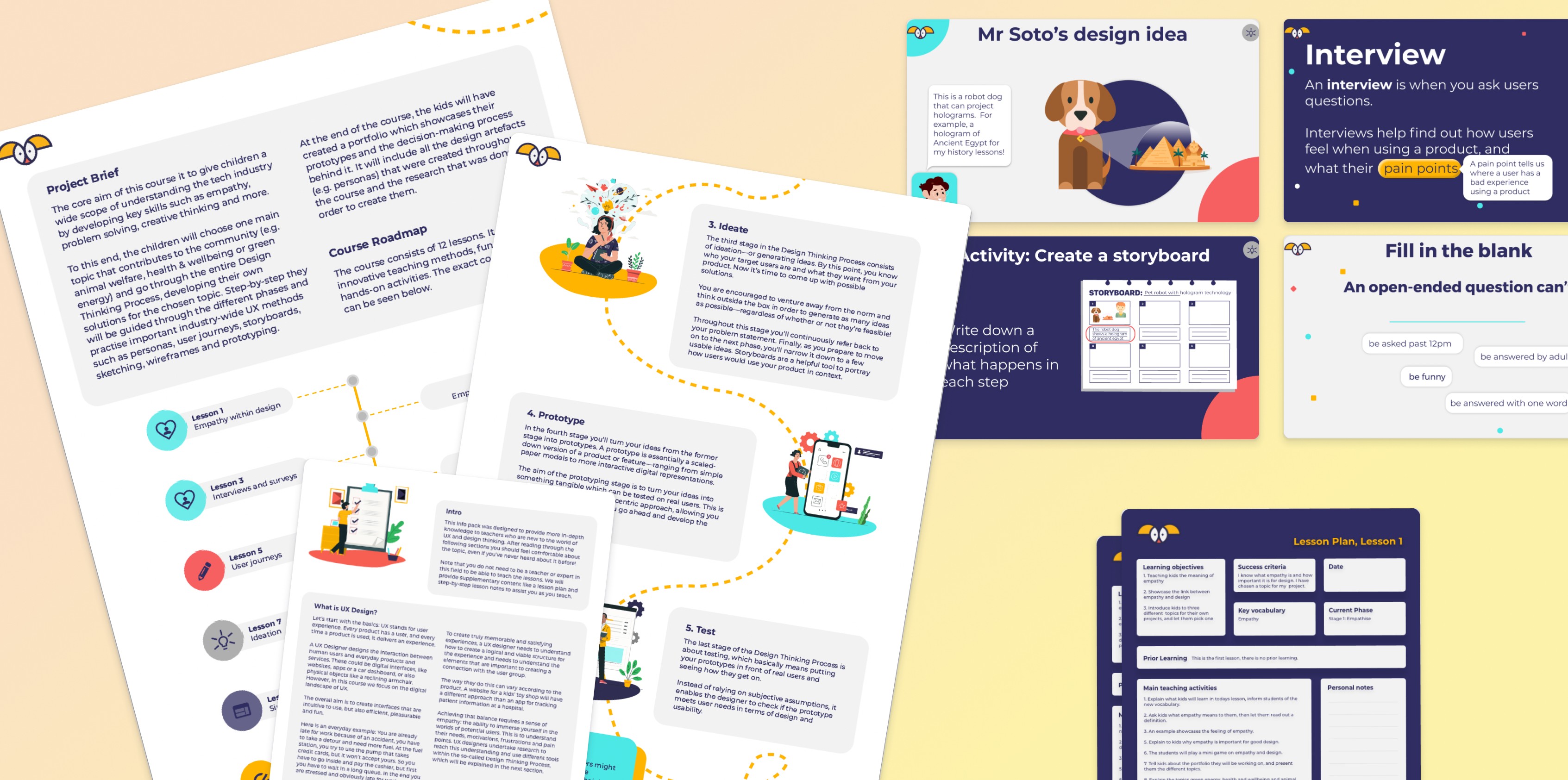
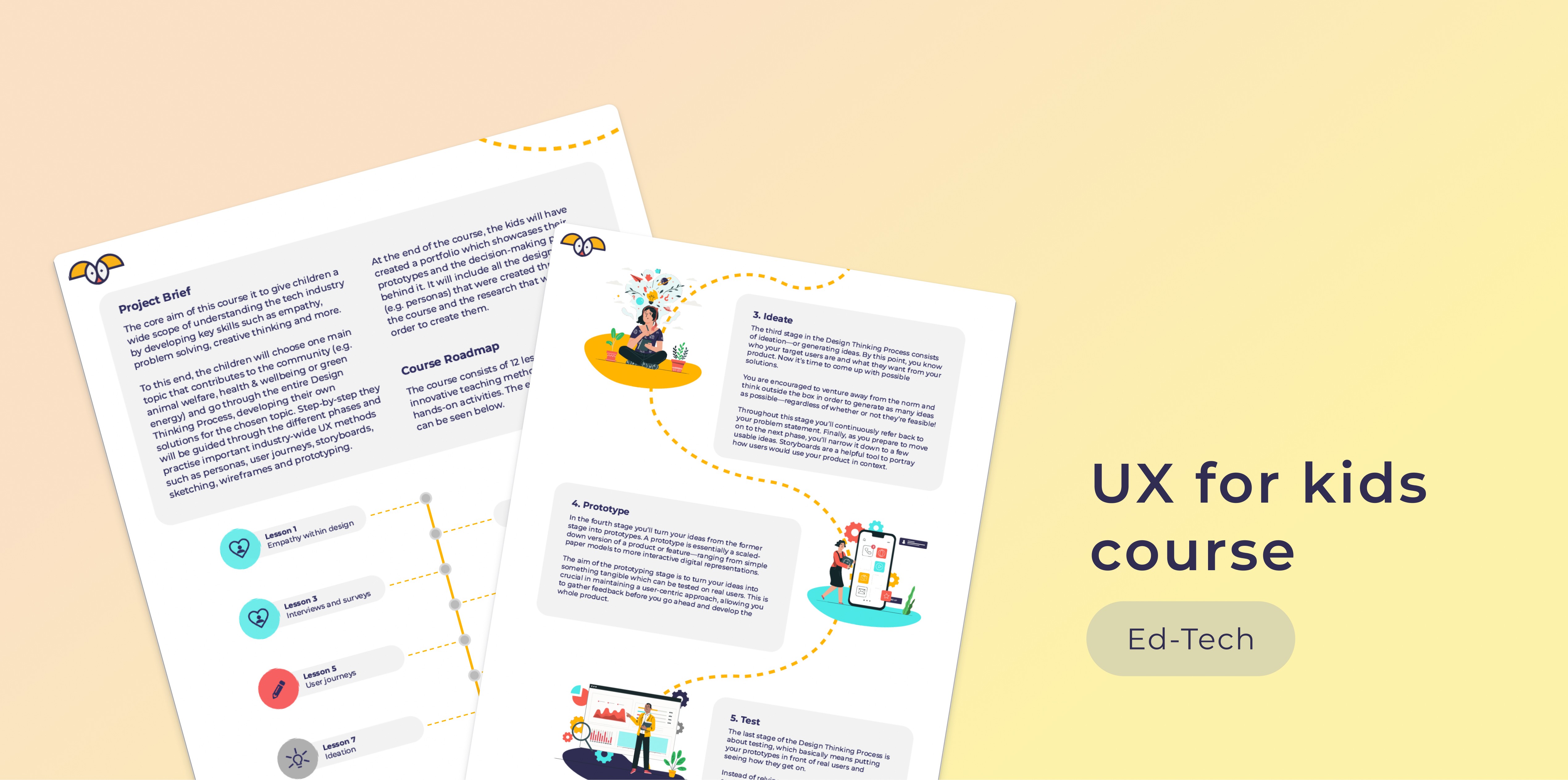
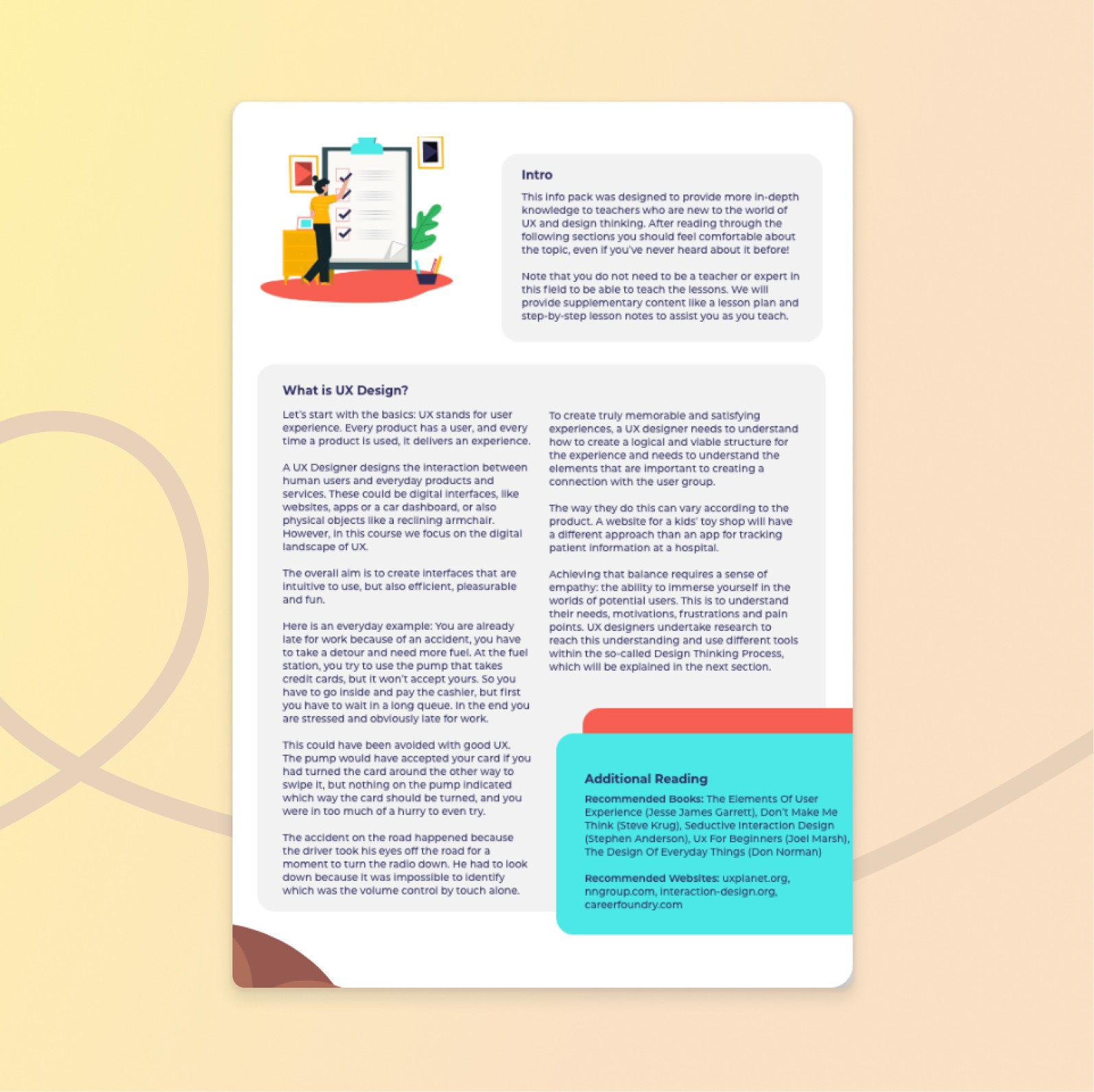
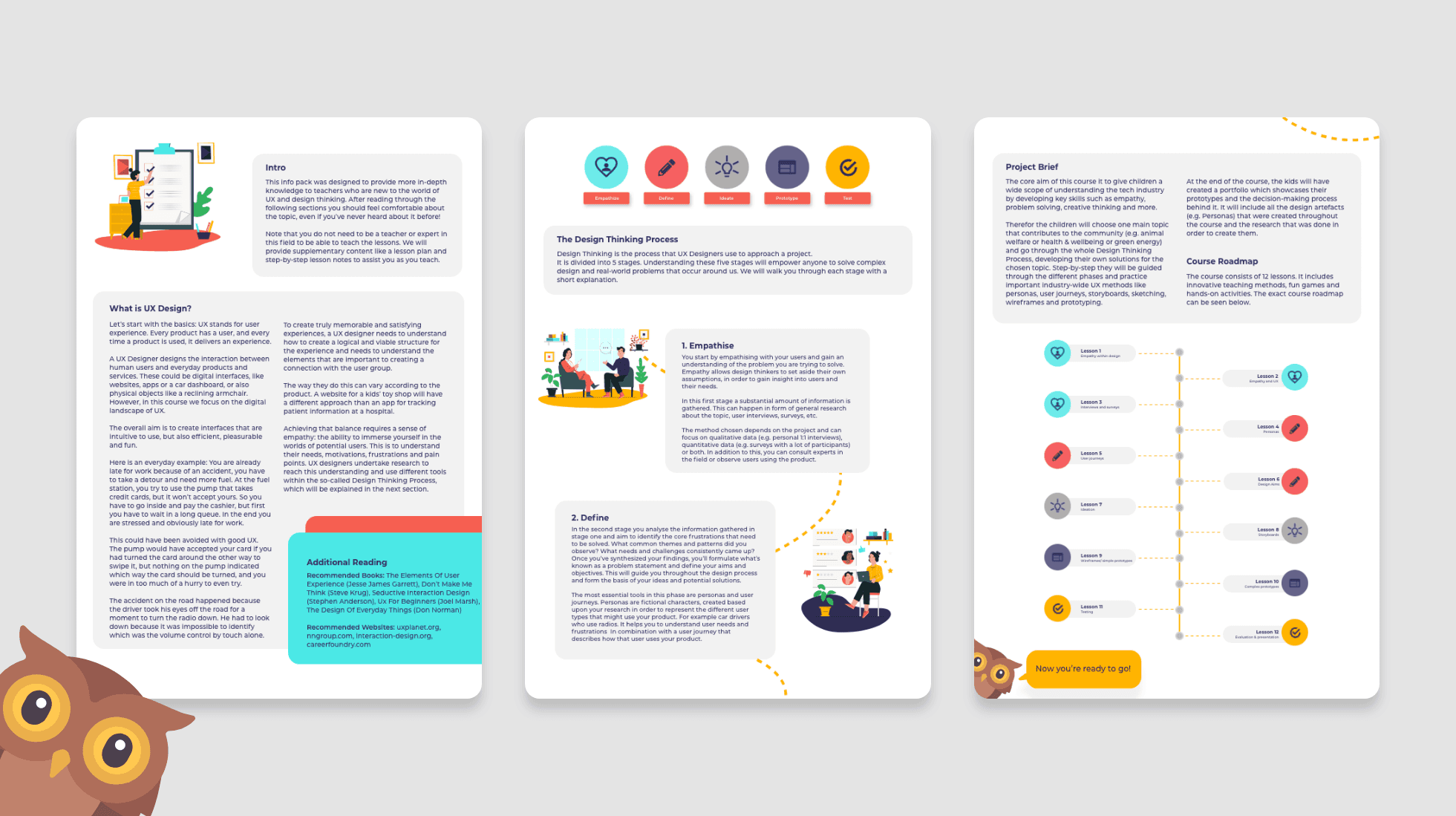
Firstly, I wrote and designed a teacher info pack. This info pack was put together to provide in-depth knowledge to parents and teachers who are new to the world of UX and design thinking. Reading through it should help them to feel more confident in their abilities to teach the course. I explain what UX design is, its purpose, the underlying methodologies and provide an overview of the course in form of a roadmap. It's intentionally brief because they're usually short on prep time.


Teacher info pack:

Firstly, I wrote and designed a teacher info pack. This info pack was put together to provide in-depth knowledge to parents and teachers who are new to the world of UX and design thinking. Reading through it should help them to feel more confident in their abilities to teach the course. I explain what UX design is, its purpose, the underlying methodologies and provide an overview of the course in form of a roadmap. It's intentionally brief because they're usually short on prep time.


Teachers notes

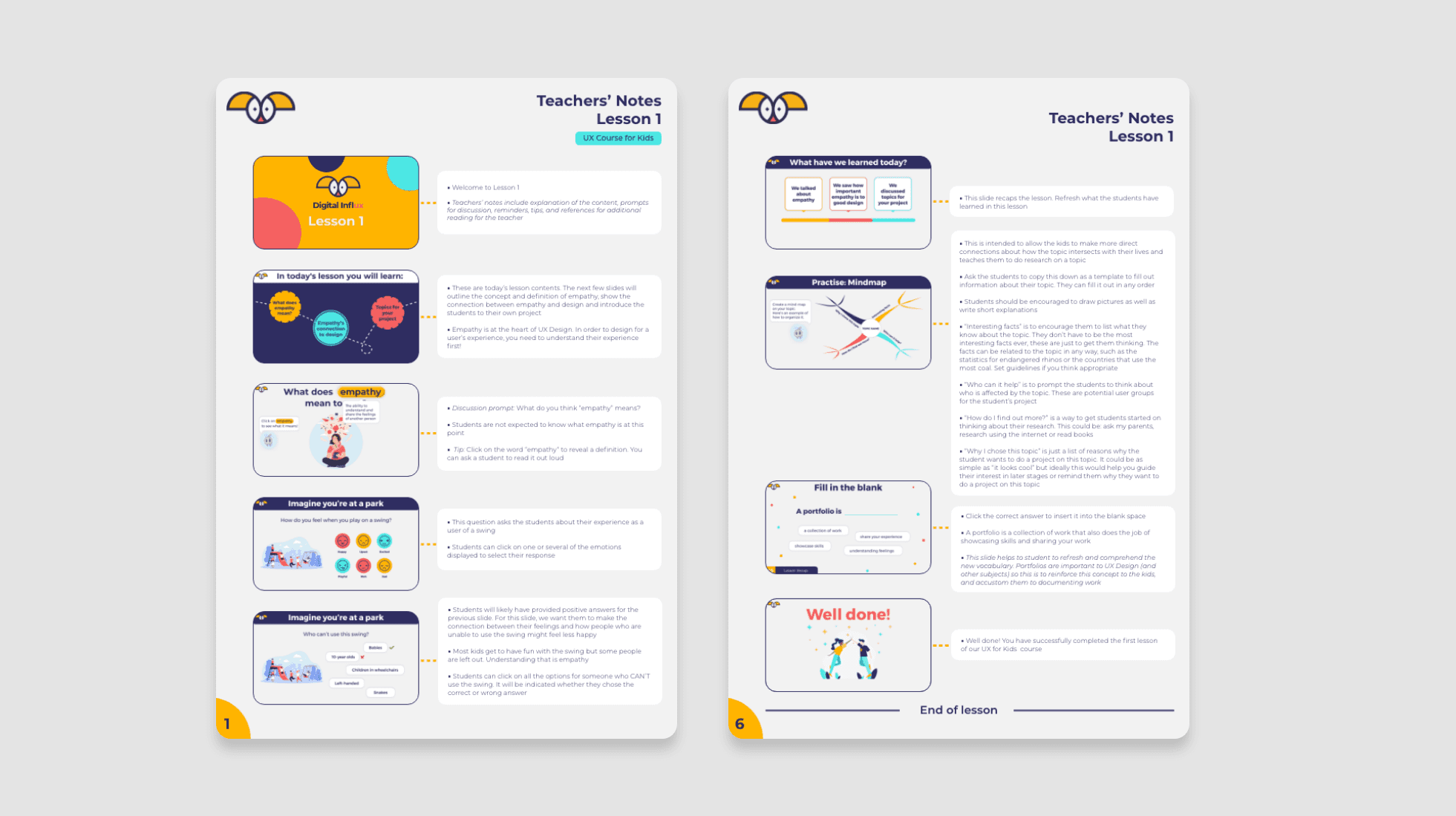
Secondly -with this being the most time-intense part of the job- I created detailed teachers notes that lead teachers through every slide of the 12 weeks course.

This document equips the teachers with information about how to teach, provides external links for additional reading and explains activities in more depth. It is intended to be used as a tool for preparation prior to a lessons.

Teachers notes

Secondly -with this being the most time-intense part of the job- I created detailed teachers notes that lead teachers through every slide of the 12 weeks course.

This document equips the teachers with information about how to teach, provides external links for additional reading and explains activities in more depth. It is intended to be used as a tool for preparation prior to a lessons.

Lesson plans

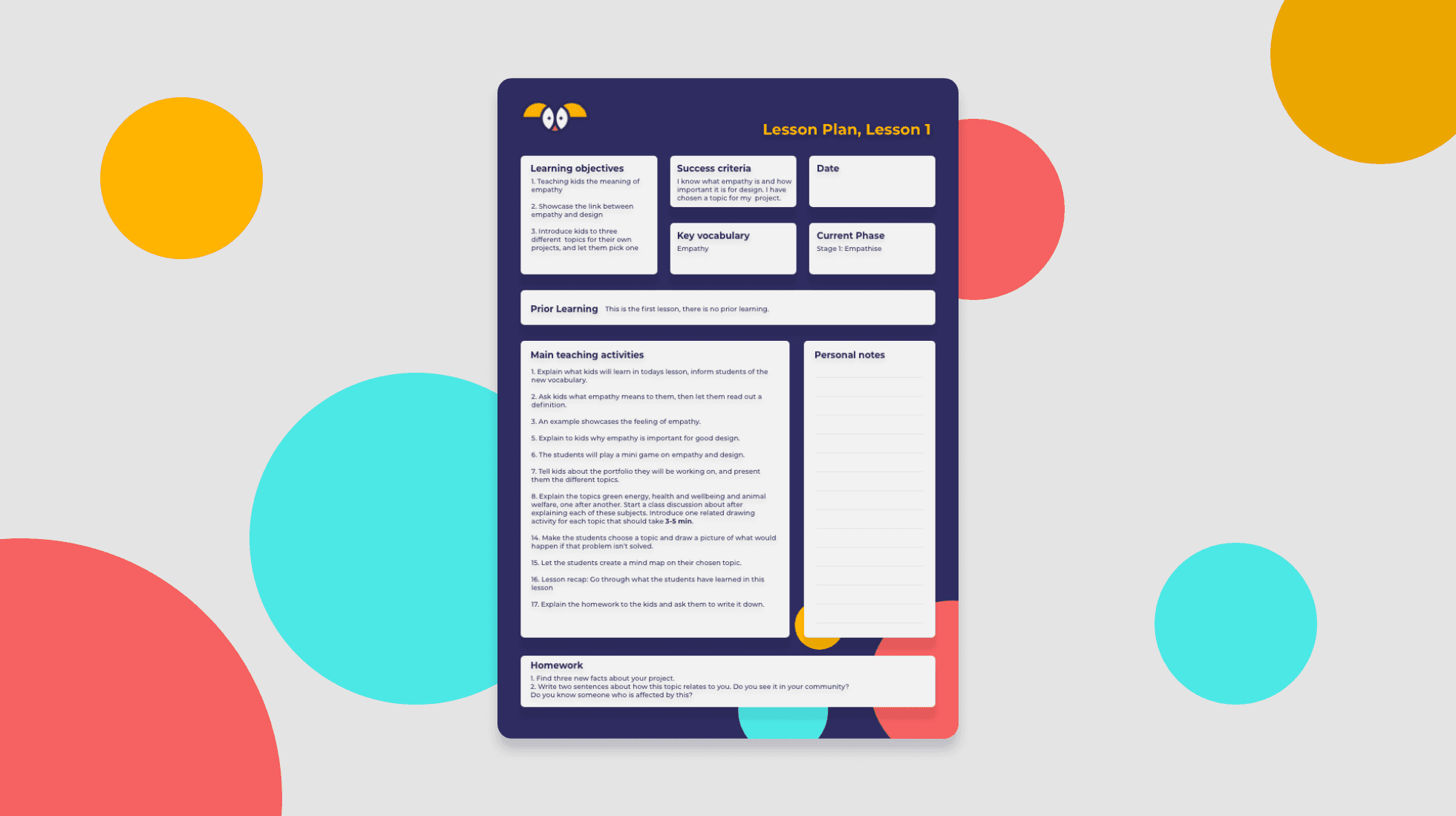
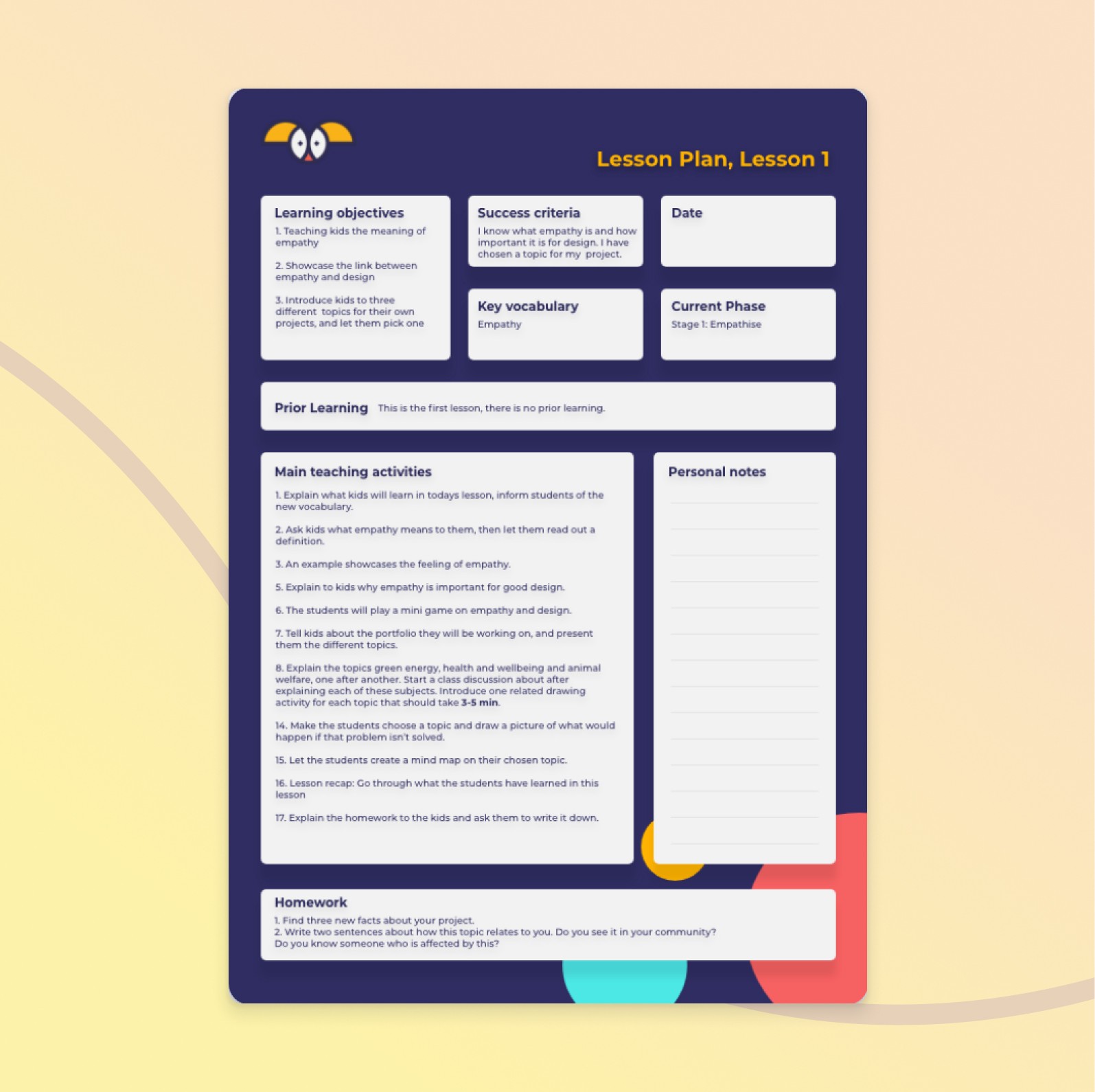
Thirdly, I created lesson plans for each lesson.

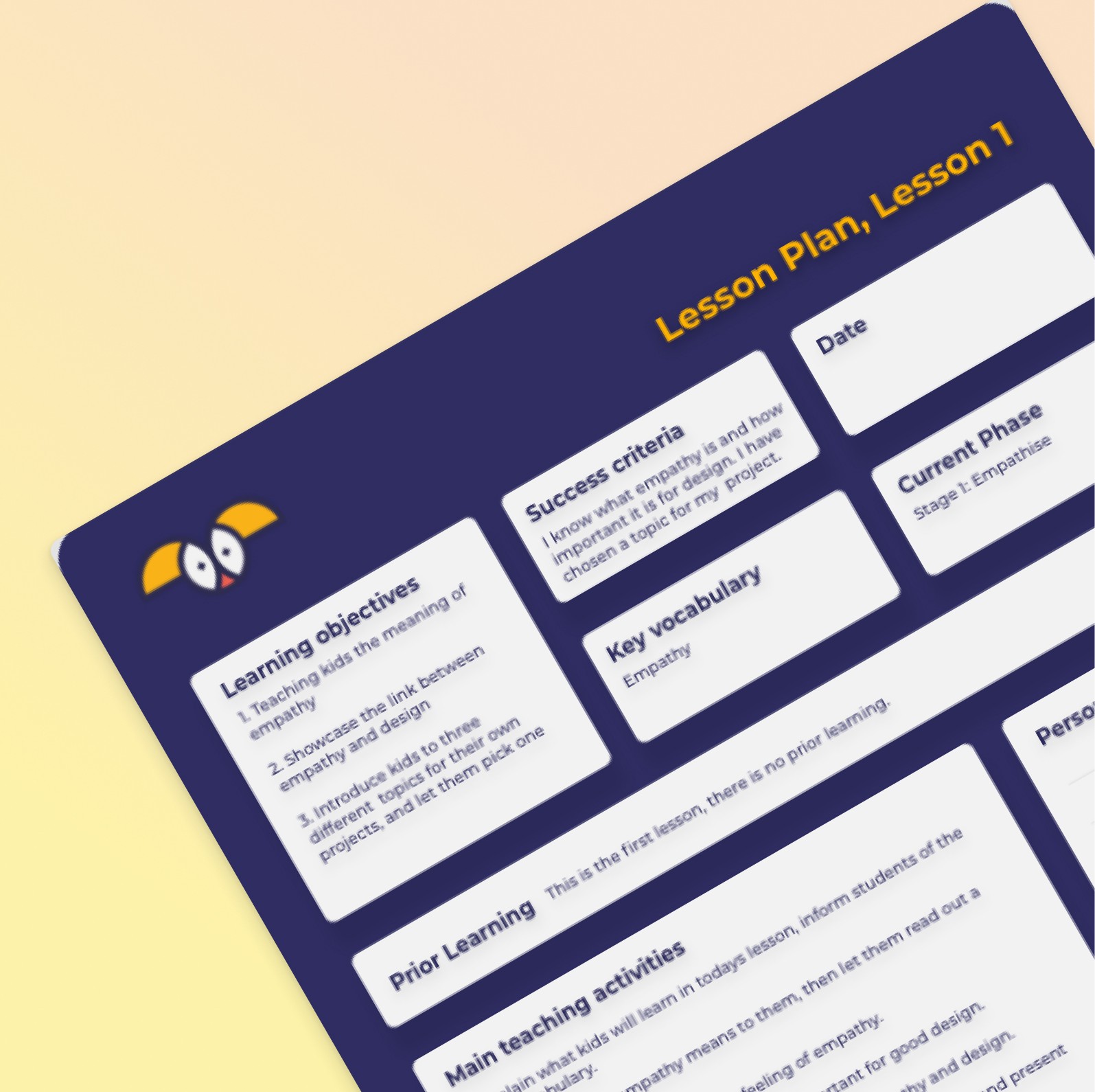
Thirdly, I created lesson plans for each lesson. This document informed teachers about the learning objectives, vocabulary, homework etc. and gives a short overview over the lesson. The difference to the teacher’s notes is that there are no in-depth explanations.

This document informed teachers about the learning objectives, vocabulary, homework etc. and gives a short overview over the lesson. The difference to the teacher’s notes is that there are no in-depth explanations. The document was designed as a one-pager that can be scanned quickly whilst teaching the lesson and helps to make the teachers feel supported in that moment.

The document was designed as a one-pager that can be scanned quickly whilst teaching the lesson and helps to make the teachers feel supported in that moment.

_______________

My solution/final product

My solution/final product

My solution/final product

_______________

Learnings

As mentioned earlier, we received a lot of great, reassuring feedback on the course from both- teachers and children and were able to step into contact with a big investor.


I personally enjoyed to dive deeper into the human aspect of design and to learn how applying psychological concepts is a big part in reaching your target audience. I thrive to really understand the users and design a product that fits into their life and needs. This is both- rewarding and fun, as I am a very curious and empathetic person enjoying to explore human thinking patterns or their way of performing actions across different demographics. For me, it's important to leverage these insights not for manipulation but to serve a good purpose, and I am grateful that this project allowed me to do so.


Personally, my time at digital influx was also a great way to add another skill to my skillset : UX Writing.
It was a pleasure to work with a young, international, driven and creative team in a fast-paced start-up environment and I would like to thank the team for giving me the opportunity!

Digital Influx / Ed-Tech

UX for kids course

Product management, User research, UX Design, UI Design

UX/UI Design

Product Design

UX Writing

B2C